
KeyShot Masterclass - Level 1

You've probably done this before.
You find a YouTube tutorial. You follow along. It looks great while you're watching. Then you try to render your own model and... nothing works.
So you search for another tutorial. Different creator. Different workflow. Different advice. You bounce from video to video, picking up fragments of knowledge that don't fit together.
Six months later, you're still searching for the "right" tutorial instead of creating work you're proud of.
Sound familiar? Here's what's actually happening.
The 4 Problems Keeping You Stuck
Stuck In Tutorial Jail
Random tutorials teach you isolated tricks. They don't build on each other. They don't teach you the order of operations, whether to focus on lighting or materials first, or what actually separates a professional image from an amateur one. There's no system. No progression. Just endless searching for the one that finally makes it click.
Long, Overwhelming Courses
20-hour courses sound comprehensive. But they're so bloated with content that most people give up halfway through. The ones who finish? They're rare. And finishing doesn't mean you actually learned anything.
Your Work Still Looks Amateur
You know how to push buttons. But your renderings don't look professional. Most courses teach software features — not design fundamentals. Technical knowledge without artistic understanding equals mediocre work.
You Don't Have Time for This
You have a real job. Real deadlines. Real life. The last thing you need is another course demanding hours you don't have.
The Real Cost
It's not the money you've spent on courses.
- It's the time you've lost.
- The opportunities you've missed because your portfolio wasn't strong enough.
- The confidence you've given up because you feel behind your peers.
- The projects you've turned down because you couldn't deliver what they needed.
How much longer are you willing to stay stuck?
Why Rendering Skills Matter More Right Now
Companies are replacing expensive photography with rendering. It's faster, cheaper, and more flexible. Every product you see online needs visualization. And in a world flooded with AI-generated imagery, the designers who can produce consistent, controllable, reliable renderings will stand out.
You might be wondering — why bother learning to render when AI can just generate an image? AI can make a pretty picture. But it can't give you the granular control you need to implement rounds of client feedback. Precisely placed labels. Loading in a revised CAD model. Exploded views. Color-sensitive work. Once you need precise, repeatable results across many iterations, AI falls apart. AI doesn't replace rendering skills. It's a force multiplier for good ones.
The Solution: A Complete System Built for CAD Users With Real Jobs
The KeyShot Masterclass Level 1 isn't another bloated course or random tutorial collection. It's a complete system that gives you professional rendering skills in the shortest time possible — without sacrificing quality.
During my three years as KeyShot's Global Training Specialist, I taught design and engineering teams in person at companies including Apple, Tesla, Peloton, and Intel — along with dozens of others. Since then, professionals from many of those same companies have gone on to enroll in my courses independently. After more than a decade and over 1,000 hours of teaching designers at every level, here's what I've learned: most courses fail because they're built backwards. They dump every feature on you and hope something sticks.
This course is built the way doctors learn medicine — through project-based learning. You don't memorize tools. You use them when you actually need them, in real projects. The result? You learn faster. You remember more. You build confidence that lasts.
Less Content. Better Results.
I took my previous courses — which students loved but struggled to finish — and cut them by more than half. Not by removing value. By removing everything you don't actually need yet. What's left is only what gets you results.
- Average lesson length: 3 minutes 47 seconds
- Total lessons: 121
- Daily time commitment: 15–20 minutes
- Projects: 3 complete portfolio projects
This is the anti-bloat course. You learn exactly what you need. Nothing you don't.
The 10 Core Skills You'll Build
01 — Data
Import your CAD files into KeyShot and organize your scene for efficient rendering workflows.
02 — User Interface
Navigate KeyShot's interface confidently and customize your workspace to match how you work.
03 — Materials
Apply, create, and adjust realistic materials to bring your products to life with the right look and feel.
04 — Cameras
Create, manage, and set up professional camera angles and perspectives that showcase your designs effectively.
05 — Lighting
Learn efficient lighting techniques to create mood, highlight features, and achieve photorealistic results.
06 — Post Processing
Enhance your renders using KeyShot's built-in Image Styles — adding polish and visual impact without ever leaving the software.
07 — Set Dressing
Build context around your product with backgrounds, props, and environmental details that tell a story.
08 — Animation
Create simple product animations that showcase features and bring your presentations to life through motion.
09 — Render Settings
Optimize your render quality and speed using the Render Queue to get professional results without endless wait times.
10 — Output
Export your work in the right formats and resolutions for portfolio, client presentations, and production use.
Go From Confused to Confident in 3 Projects
Most courses teach you theory, then leave you to figure out the practice. This course flips it. You build 3 complete portfolio projects and learn the skills as you actually need them.
Project 1 — Quick-Win Primer
Goal: Immediate results with zero frustration
In the first few lessons, you'll create 3 professional renderings using Scene Templates I've already built for you. Drag. Drop. Render.

Why this matters: you need proof this works before investing weeks of effort. This gives you that proof in minutes — and you can use these templates on your own projects whenever you want, forever.
All three look professional. None took you hours to figure out. The key takeaway is a Scene Template workflow that can save you hundreds of hours over your career.
Project 2 — Game Boy Advance
Goal: Master the 4 essential rendering styles every designer needs
These four styles are called the Four Archetypes — four distinct types of product imagery that play a critical role in professional visualization. By learning to create each of them, you'll be ready for any product image request that comes your way.
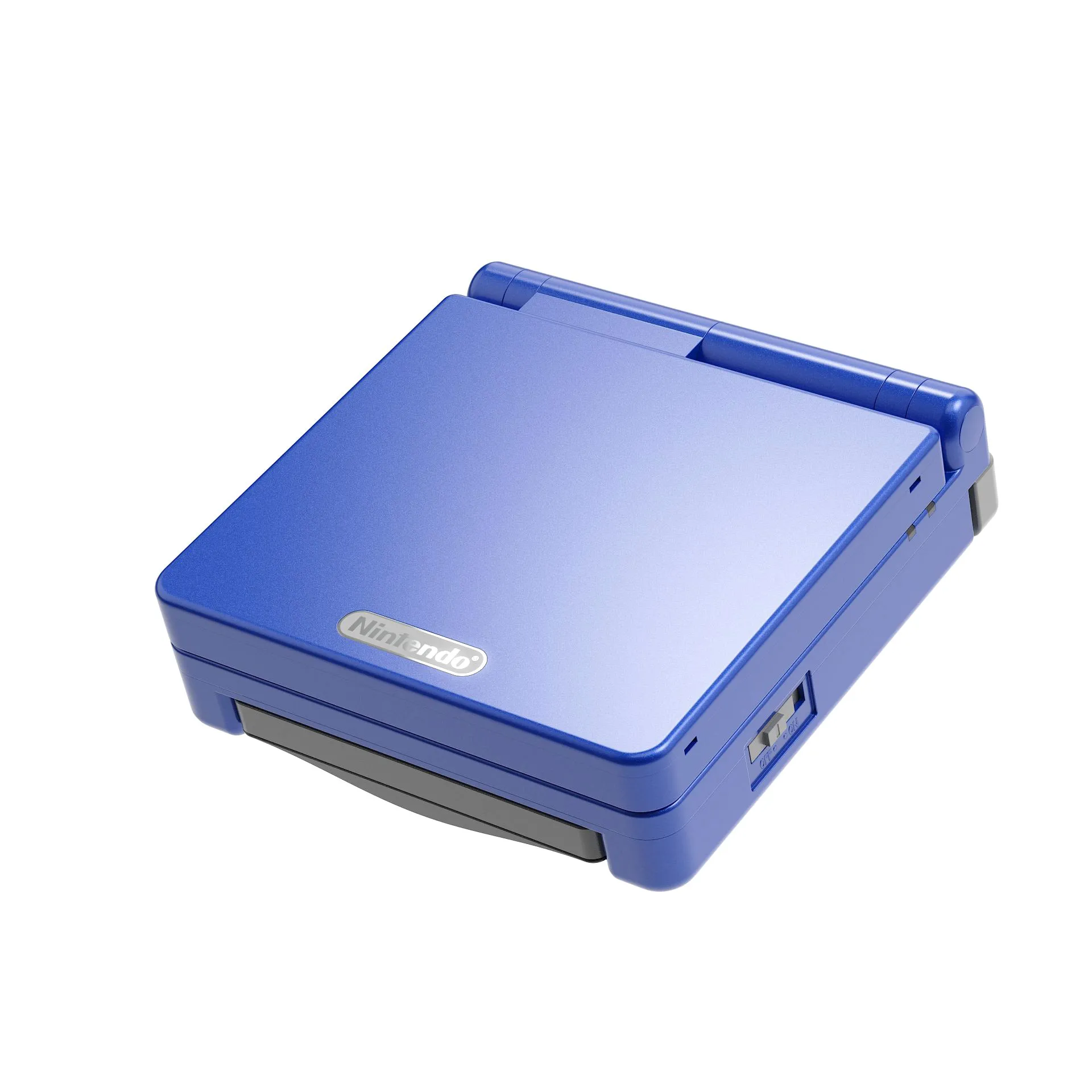

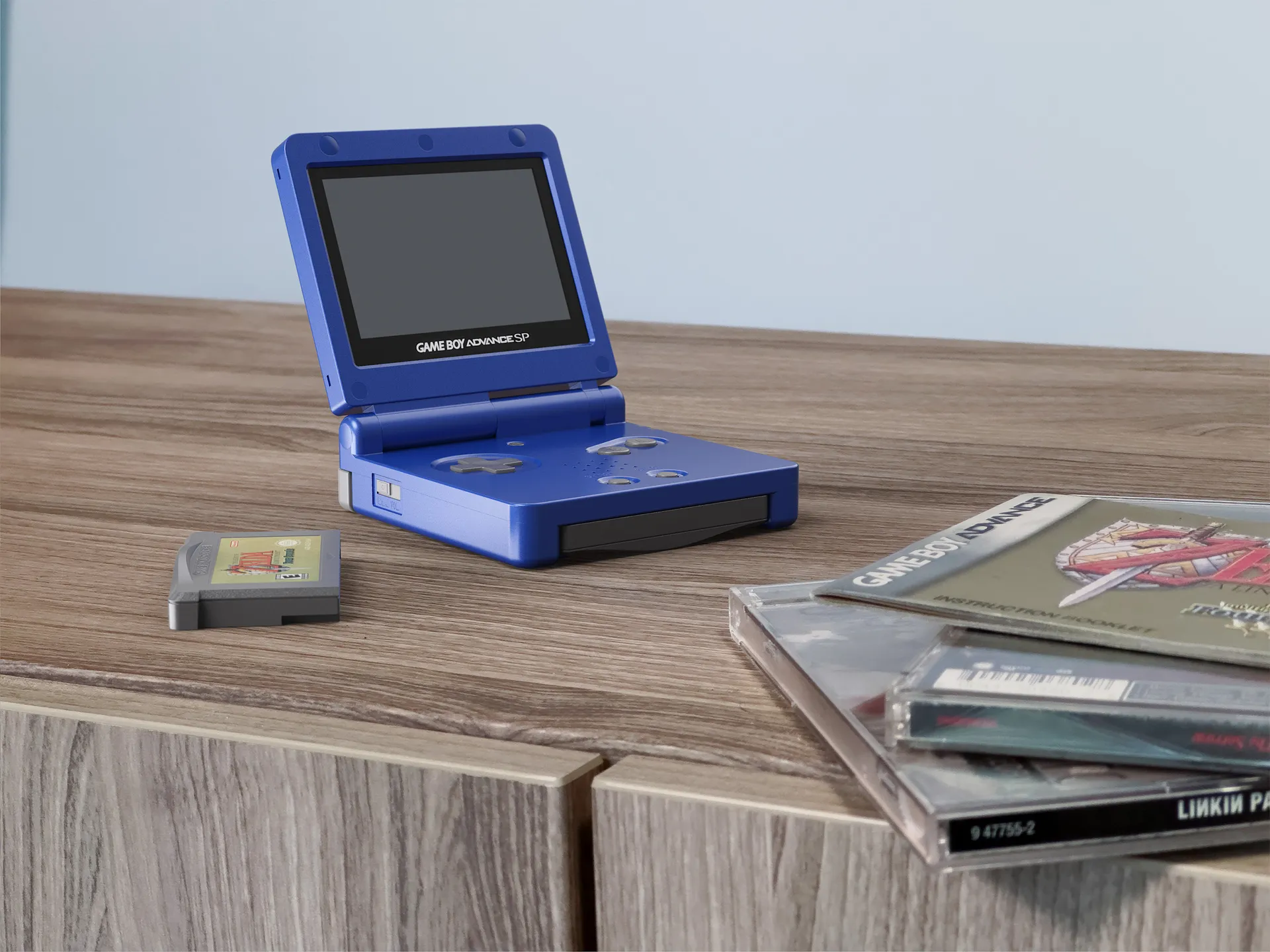
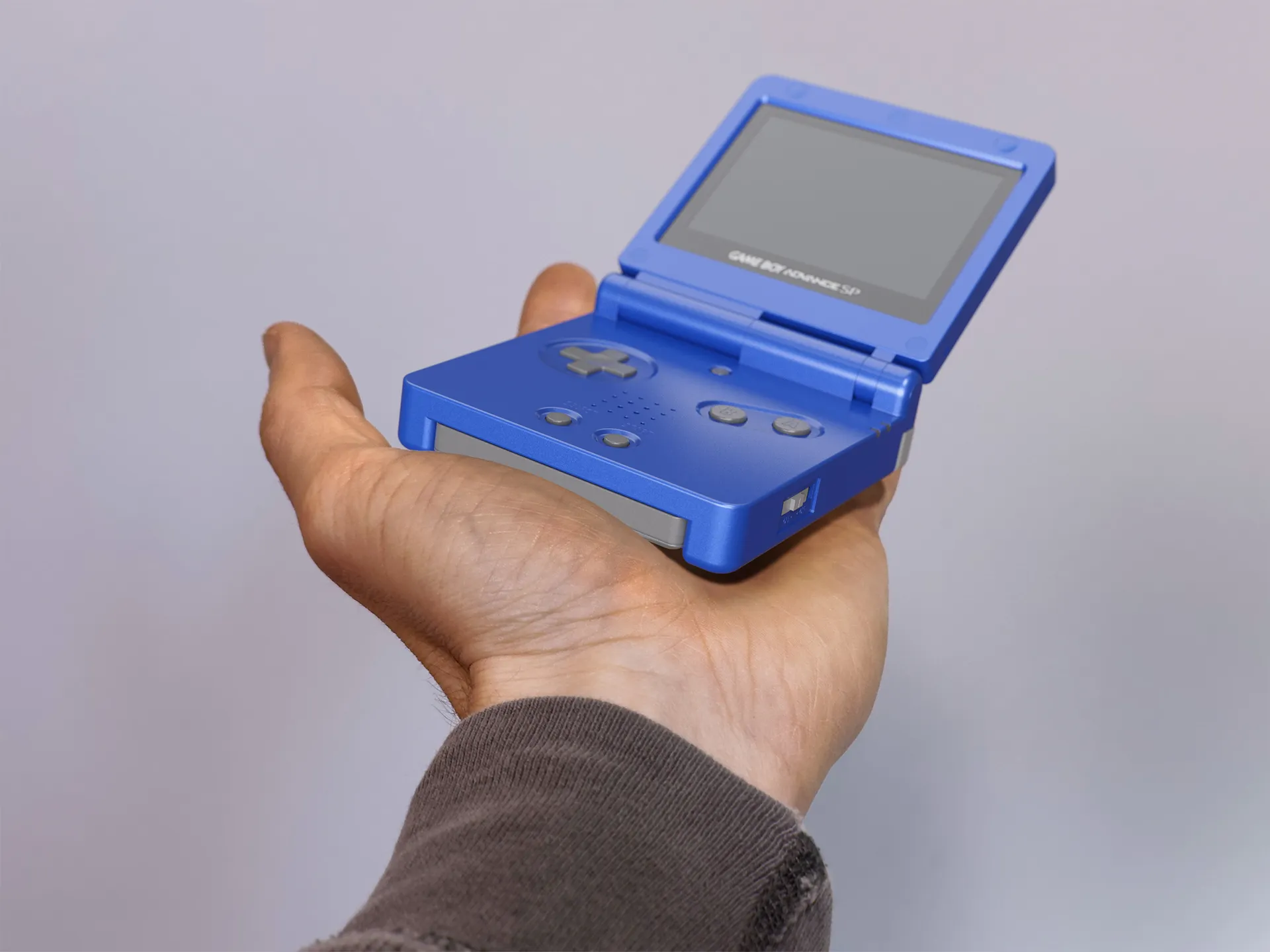
- E-commerce rendering — Clean white background. Perfect lighting. Zero distractions. The style clients demand for product pages.
- Studio rendering — Creative lighting. Gradient backgrounds. Beautiful composition. The style that makes your portfolio stand out.
- Lifestyle rendering — Product in its natural environment. Props. Storytelling. The style that shows you understand your audience.
- Situational rendering — Product in use. Real context. The style that communicates scale and interaction.
Plus your first animation — a simple product animation with camera movement. Nothing fancy. Just professional.
Project 3 — Keyboard (Your Original Work)
Goal: Prove you can do this on your own
This is where it gets real. I give you the assets. You do everything else. No watching me do it first — just you, applying everything you've learned to create something truly yours.
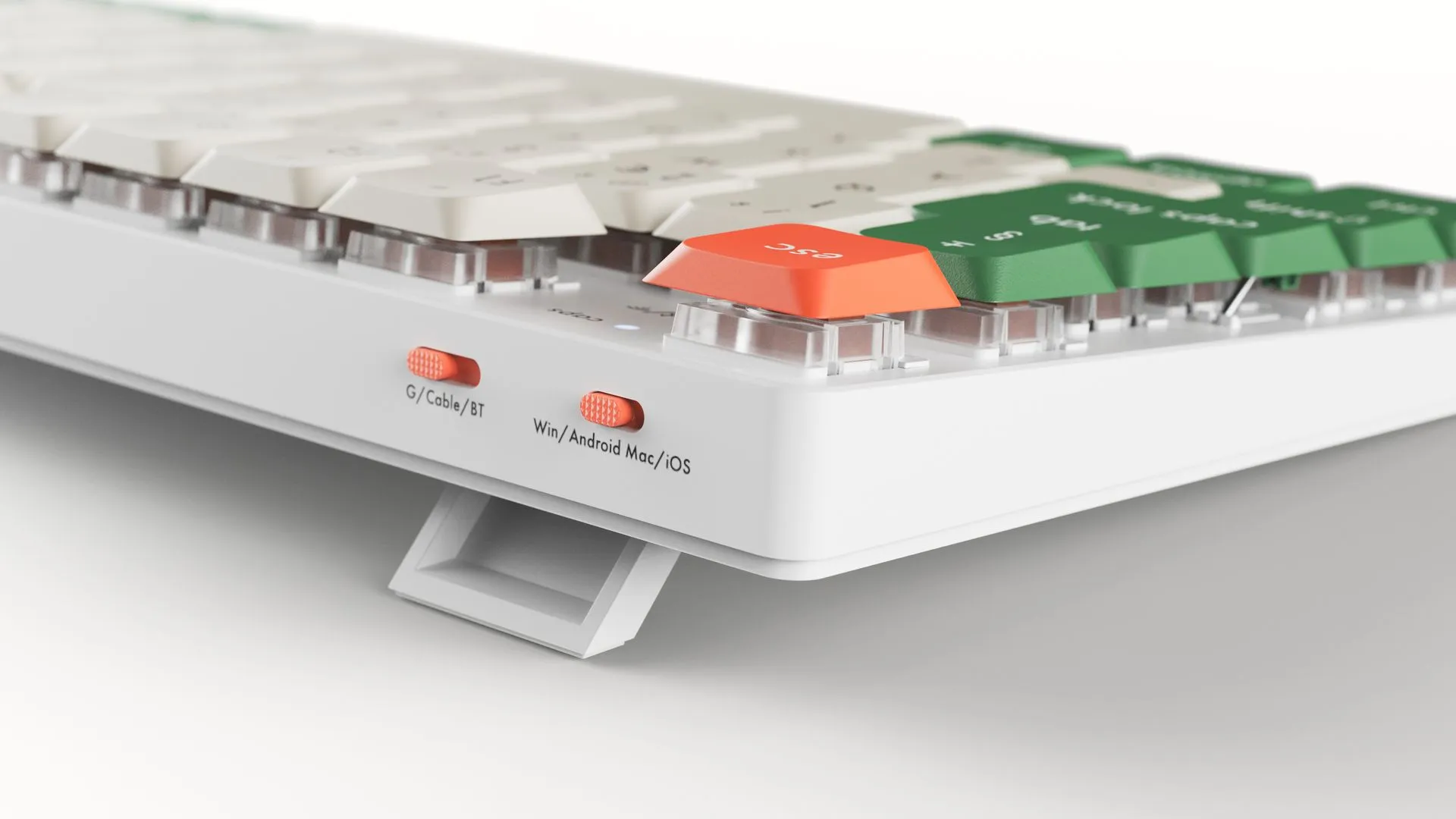
When you're done, you submit your work to me. I review it personally, record a video critique, and tell you exactly what worked and what to improve. This isn't a generic certificate that says you watched some videos. This is proof you can actually do the work.
Everything You Get When You Enroll
The Complete Course
✓ 120+ bite-sized lessons
✓ Lifetime access — learn at your own pace
✓ Offline viewing and mobile app access
✓ Subtitles available in 31 languages
3 Hands-On Projects
✓ Quick-Win Primer
✓ Game Boy Advance
✓ Keyboard — Final Assignment
Project Assets
✓ 5 3D models
✓ 2 Scene Templates
✓ Textures, labels, and reference images
✓ Complete KeyShot project files
Support and Recognition
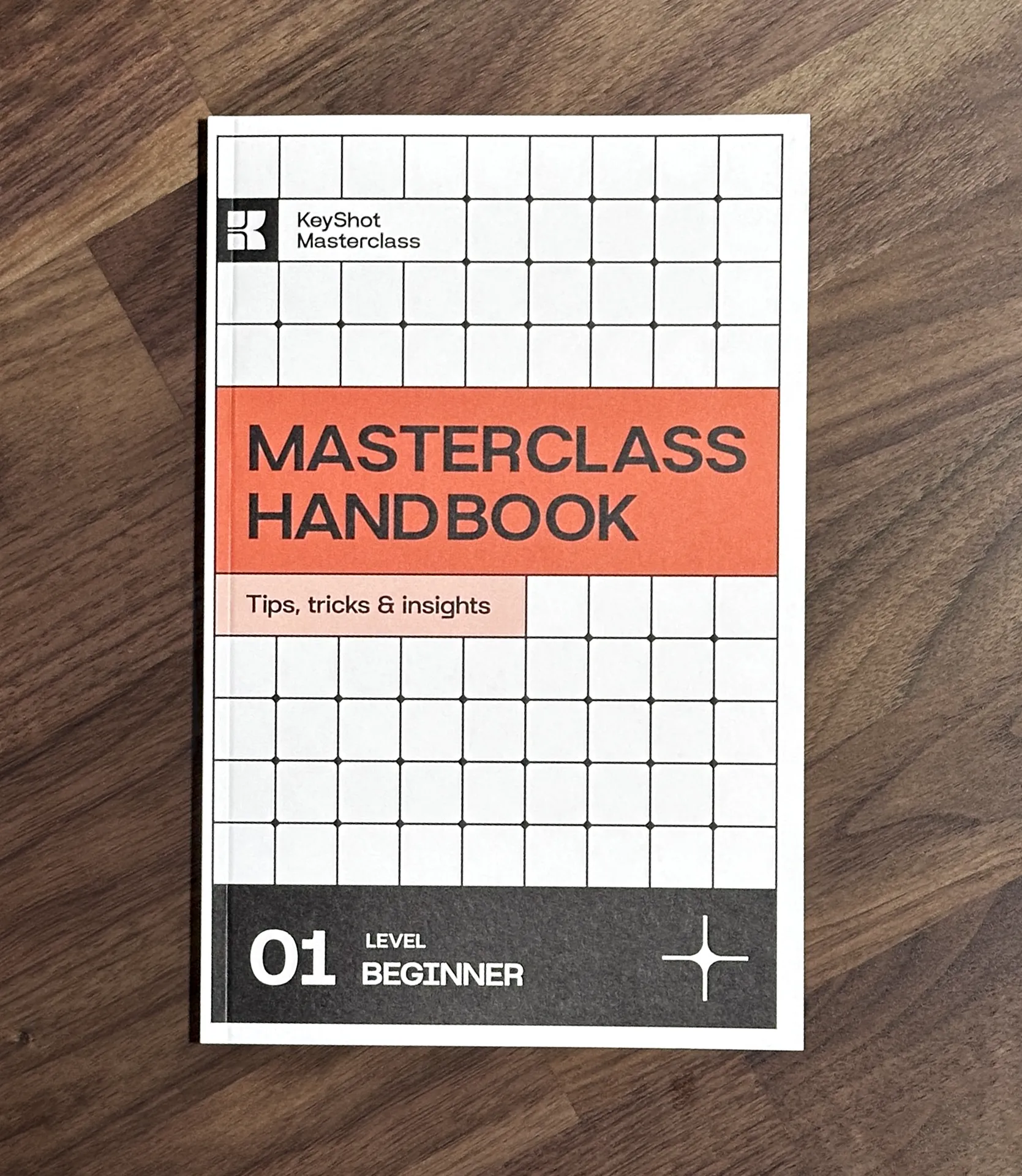
✓ 40-page Masterclass Handbook PDF
✓ Personal video feedback on your final project
✓ Certificate of Achievement
✓ Direct email access to Will for support
Free Printed Handbook — Limited Quantity
I had 50 handbooks printed in full color and perfect-bound. If you're in the USA, I'll send you a printed copy free of charge when you enroll.
Once they're gone, they're gone. I won't be printing more.
If you're outside the USA and want a printed copy, email me after your purchase with your shipping address. I'll follow up with postage costs and get it out to you.
What Changes When You Actually Know What You're Doing
This isn't just about learning KeyShot. It's about what happens to your work — and your confidence — after you do.
Before this course:
❌ You spend hours searching for the right tutorial
❌ Your work doesn't look as good as your peers'
❌ You avoid rendering projects because they're stressful
❌ You can't explain why something looks good or bad
❌ Every new project feels like starting from scratch
❌ You constantly reference tutorials instead of just working
❌ You feel behind and lack confidence
After this course:
✅ You have a repeatable workflow for any rendering project
✅ Your portfolio has professional pieces you're proud to show
✅ You render confidently without constant tutorial reference
✅ You understand design fundamentals, not just software buttons
✅ You work faster and deliver better results
✅ You feel confident taking on any rendering project
✅ You have the foundation to keep improving on your own





























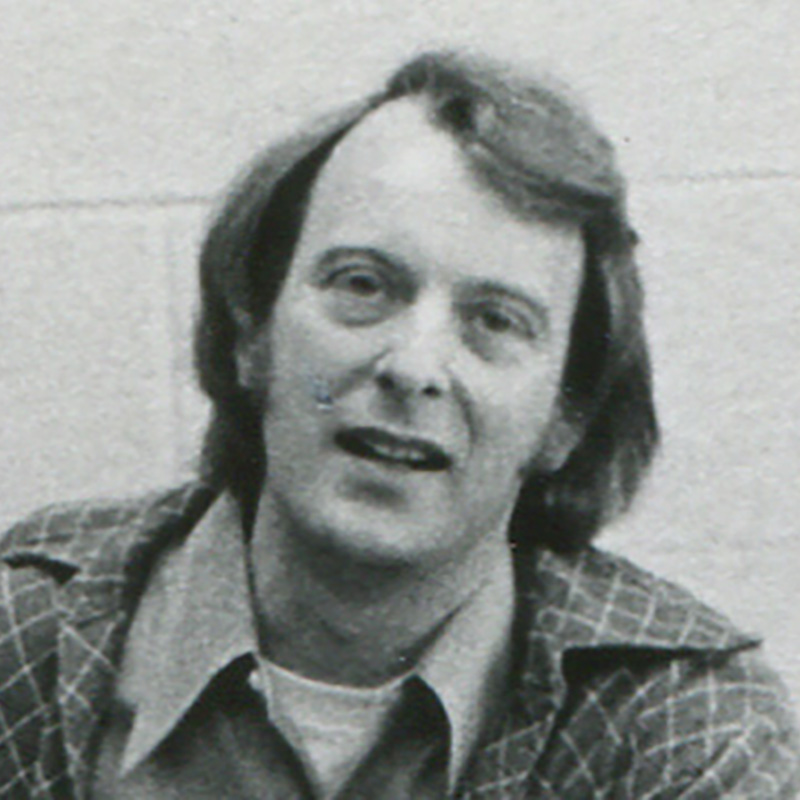















Meet your KeyShot instructor
I wanted to create a platform that enabled me to teach others the skills and techniques I wish I'd known sooner. I share only the most effective methods to create stunning visuals and how to apply this knowledge in practice through my various courses, tutorials and resources.



My Do-The-Work Guarantee
This is a do-the-work guarantee. Complete the course, submit your final project, and if you genuinely followed the process and still can't implement what I taught, email me at will@willgibbons.com and I'll refund you.
I stand behind the result, not just the experience. What I can't refund is a course that was purchased but never opened.
But here's what I know: the students who show up, do the work, and complete the projects don't ask for refunds. They ask for the next level.
Frequently Asked Questions
Which version of KeyShot do I need?
Technically you can follow along with older versions, but to access all the features shown in this course you'll need KeyShot 2025.2 or newer. If you have an active subscription license, you should be fine. Any KSP files I supply will need to be opened with a current version of KeyShot since it isn't backward-compatible.
How long does it take to complete the course?
With 15–20 minutes daily, most students finish in 4–8 weeks. But you have as long as you need — lifetime access means the course adapts to your schedule, not the other way around.
Are there subtitles?
Yes. Every video lesson has the option to enable subtitles and can be translated into 31 languages.
I've tried learning KeyShot before and failed. Will this be different?
Here's the honest reason you failed: random tutorials teach isolated tricks. They don't teach you how to think about the full rendering process — the order of operations, whether to focus on lighting or materials first, or what actually separates a professional image from an amateur one. This course is a clear, linear path. You always know what's next. And because you apply every skill through real projects immediately — rather than memorizing features and hoping they stick — you build the kind of confidence that lasts well beyond the course.
Why should I bother learning to render when AI can generate images?
AI can make a pretty image. But it won't give you the control you need to implement client feedback — precisely placed labels, revised CAD models, exploded views, color-sensitive work. Once you need consistent, repeatable results across many iterations, AI starts to fall apart. The designers who will get the most out of AI tools are the ones who already understand rendering fundamentals. AI doesn't replace rendering skills. It's a force multiplier for good ones.
I already own your Rendering, Animation, or Materials Masterclass. Why should I buy this?
This course is completely redesigned — less than half the length with better teaching methods. New projects, new workflow, and a refined approach based on teaching 1,000+ professionals. It's also updated for the new KeyShot interface. Think of it like upgrading from an iPhone 12 to an iPhone 15. It's not just an update — it's a redesign.
Does KeyShot work with my CAD software?
Yes. This course is built specifically for NURBS-based CAD users — Fusion, SolidWorks, Rhino, Creo, and others. As long as you can export to a format KeyShot supports (STEP, IGES, or native files), you're good.
I'm not very technical. Can I still do this?
If you can use CAD software, you can learn KeyShot. I teach in plain English, not technical jargon. Lessons average under 4 minutes. And if you get stuck, you have the handbook, the lessons, and direct email access to me.
What if I don't have time to finish?
Watch on your phone during commutes. Fit it into lunch breaks. The average lesson is 3 minutes 47 seconds — shorter than a song. You don't need to binge the course. Consistency beats intensity every time.
What's the difference between this and free YouTube tutorials?
YouTube tutorials are random fragments. This is a complete system. YouTube teaches you tricks. This teaches you how to think. YouTube leaves you guessing what to learn next. This gives you a clear path from beginner to confident.
Do I get updates if you improve the course later?
Yes. Lifetime access means you receive all future updates to Level 1 at no additional cost.
Can I share my login with a colleague?
No. The course license is for individual use only. If you need team access, email me at will@willgibbons.com and we can discuss corporate licensing options.


