
KeyShot Rendering Masterclass

Here's the problem.
Everyone loves a great product rendering. But creating one that actually looks professional? That's where most designers get stuck.
You can drag and drop materials. You can hit render. But the result doesn't look like the work you see in portfolios or on product pages, and you're not sure why.
So you watch more tutorials. You try different settings. You get inconsistent results you can't explain or reproduce. And every new project feels like starting from scratch.
Sound familiar? Here's what's actually happening.
The Problem With Most KeyShot Learning
Tutorials teach tricks, not thinking
Most free content covers isolated features: how to apply a material, how to add a light. What it doesn't teach you is how all those pieces fit together, why you'd make one choice over another, or what actually separates a professional rendering from an amateur one.
Knowledge gaps are invisible until they cost you
If you're self-taught, you don't know what you don't know. You can work in KeyShot for years and still be missing fundamentals that would transform your output and your workflow.
There's no clear path from beginner to confident
Basic tutorials are everywhere. Finding something that takes you the whole way, from importing a CAD model to finishing a polished portfolio image, is a different challenge entirely.
Why Rendering Skills Matter More Right Now
Companies are replacing expensive photography with rendering. It's faster, cheaper, and more flexible. Every product you see online needs visualization. And in a world flooded with AI-generated imagery, the designers who can produce consistent, controllable, reliable renderings will stand out.
You might be wondering: why bother learning to render when AI can just generate an image? AI can make a pretty picture. But it can't give you the granular control you need to implement rounds of client feedback. Precisely placed labels. Loading in a revised CAD model. Exploded views. Color-sensitive work. Once you need precise, repeatable results across many iterations, AI falls apart. AI doesn't replace rendering skills. It's a force multiplier for good ones.
The Course That Started It All
During my three years as KeyShot's Global Training Specialist, I taught design and engineering teams in person at companies including Apple, Tesla, Peloton, and Intel, along with dozens of others. Since then, professionals from many of those same companies have gone on to enroll in my courses independently. After more than a decade working with KeyShot professionally, I built this course with one goal: to take you from wherever you are right now to a professional level of competency, without the years of trial and error it took me.
I built the KeyShot Rendering Masterclass because people kept asking for something more in-depth than what was available. Not just a quick tutorial, but something that would genuinely take them the whole way. Whether you're self-taught and looking to fill knowledge gaps, or starting from scratch and want to learn as fast as possible, this course was built for you.
Most tutorials are either feature-based or project-based, and both come with tradeoffs. Feature-based tutorials cover the tools thoroughly but can feel dry and disconnected from real work. Project-based tutorials take you to a finished result but skip over everything that doesn't serve that specific project.
The KeyShot Rendering Masterclass combines both. You'll work through thorough feature-based lessons covering every major tool in KeyShot, then apply what you've learned by creating four portfolio-ready images through a series of project-based lessons, from material block-in all the way through final post-production.
Everything Covered in This Course
Chapter 1 — The Blueprint
How to gather reference images, study professional work, and set yourself up for a successful rendering before you ever open KeyShot.
Chapter 2 — Model Preparation
What to do in your CAD software before importing, including detail level, color and part naming, assembly structure, set dressing, and export settings.
Chapter 3 — KeyShot Scene Setup
Importing models, navigating the KeyShot interface, and moving and organizing parts in your scene.
Chapter 4 — Materials
Applying, linking, unlinking, editing, and saving materials. The foundation of any convincing rendering.
Chapter 5 — Textures
Applying textures, understanding mapping types, using center-on modes, UV texture mapping, and normal maps.
Chapter 6 — Labels
What labels are, how to create them in Illustrator and Photoshop, and how to apply them correctly in KeyShot.
Chapter 7 — Material Graph
Building custom materials from scratch, working with procedural textures, using utility nodes, adding imperfections, displacement, and geometry nodes.
Chapter 8 — Lighting
How HDRIs work, environment settings, the HDRI editor, creating custom HDRIs, and every type of physical light explained: emissive, area, point, IES, and spot.
Chapter 9 — Cameras
Creating, saving, and updating cameras; positioning and orientation; lens settings; and depth of field.
Chapter 10 — Studios
How to use KeyShot Studios to organize and switch between multiple looks, including model sets, multi-materials, environments, image styles, and cameras.
Chapter 11 — Staging
Adding primitive geometry and 3D models or props to build context around your product.
Chapter 12 — Rendering and Output Settings
Real-time render settings, material samples, render layers, output formats, render modes, and the render queue.
Chapter 13 — Post Production
Working with depth passes, render layers and passes in Photoshop, removing fireflies, using Camera RAW, and saving best practices.
One Model. Four Portfolio-Ready Renderings.
Most courses use a simplified or generic model for their project lessons, something basic enough that it doesn't get in the way of the teaching. I went a different direction.
I purchased a Google Home Mini, disassembled it completely, and spent nearly a year modeling it from scratch, down to the millimeter, including internal PCB components and wiring. My original plan was to use it for my own portfolio. When it came time to build this course, it felt like a waste to shelve it in favor of something simpler.
So I brought the whole thing into the course. You get the model, all the assets I built for it, and you can use everything however you want, personal or commercial, after purchasing.
The project runs as a single continuous thread through the second half of the course. After each major set of feature-based lessons, we jump straight into the project and apply what we just covered. By the end, you'll have produced four stylistically distinct, portfolio-ready renderings of the same product, proving that with the right knowledge, one great model is all you need.
What makes the four final images distinct isn't the model. It's the lighting, materials, staging, and post-production choices that define each one. Learning to create that kind of variety from a single scene is one of the most valuable skills you can develop as a visualization professional.
What Changes When You Actually Know What You're Doing
Before this course:
❌ Your renderings look decent but not professional, and you can't explain why
❌ You rely on trial and error to get results you can't reproduce
❌ You avoid complex materials and lighting setups because they feel overwhelming
❌ Every new project feels like starting from scratch
❌ You have knowledge gaps you didn't even know existed
❌ Post-production feels like a mystery
After this course:
✅ You understand why professional renderings look the way they do and how to recreate it
✅ You have a repeatable process from model prep to final image
✅ You can build custom materials from scratch and light any scene with confidence
✅ You know how to use Studios to work efficiently across multiple looks
✅ Your knowledge gaps are filled, no more guessing
✅ You can take any rendering into Photoshop and finish it to a professional standard











































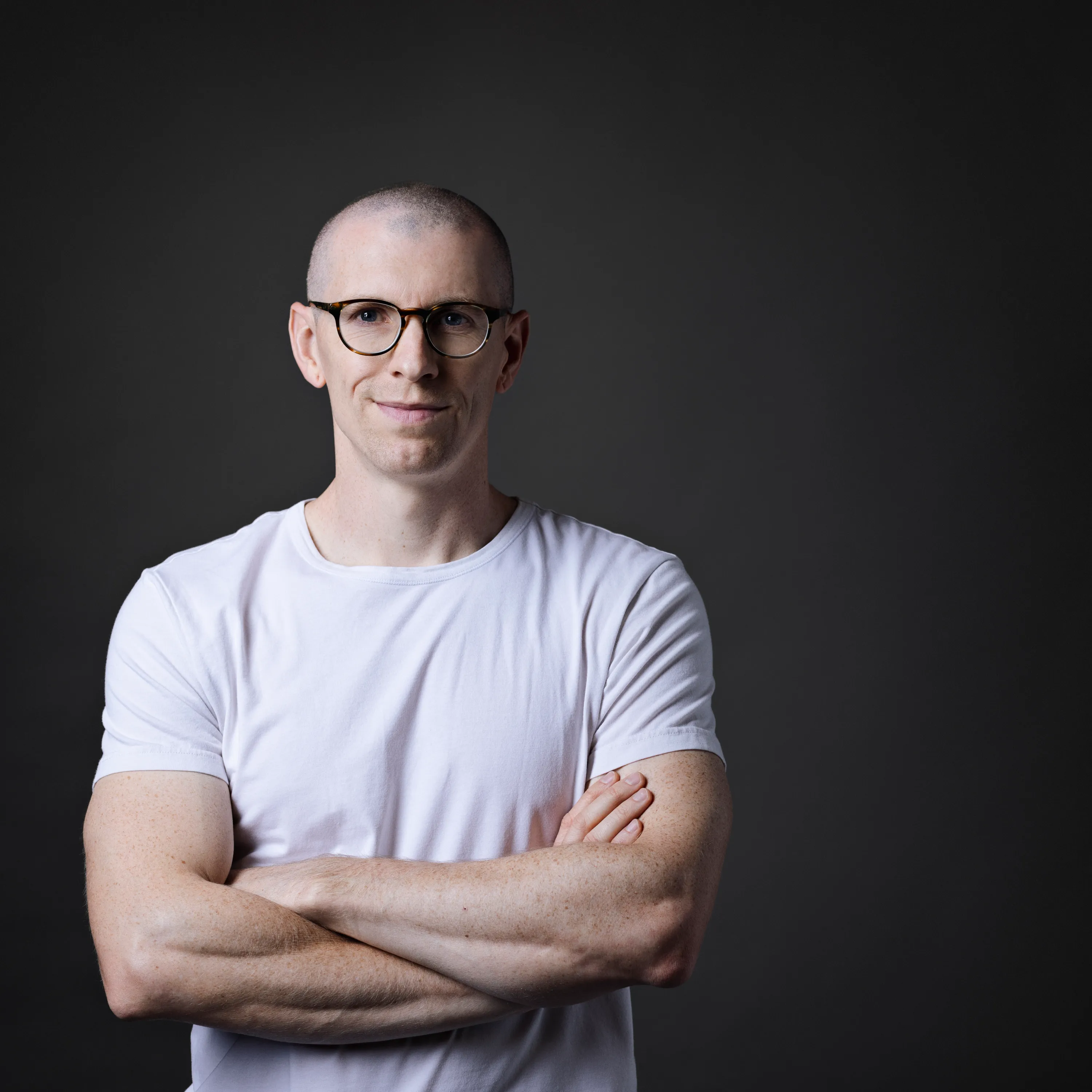
Meet your KeyShot instructor
I wanted to create a platform that enabled me to teach others the skills and techniques I wish I'd known sooner. I share only the most effective methods to create stunning visuals and how to apply this knowledge in practice through my various courses, tutorials and resources.



My Do-The-Work Guarantee
This is a do-the-work guarantee. Work through the course, apply what you learn, and if you genuinely followed the process and still can't implement what I taught, email me at will@willgibbons.com and I'll refund you.
I stand behind the result, not just the experience. What I can't refund is a course that was purchased but never opened.
Frequently Asked Questions
What version of KeyShot do I need?
KeyShot Pro at a minimum. I recommend KeyShot 10 or newer to follow along with all the features covered in this course. If you're on an older version, the majority of concepts and tools will still apply. If you have a bundled version of KeyShot that came with another piece of software, such as KeyShot for ZBrush, you should not purchase this course as those versions have significant feature limitations.
How much experience do I need?
None. I built this course expecting some students to have zero prior experience with KeyShot. That said, the more familiarity you have going in, the faster you'll move through the material.
Do I need a background in photography or film?
Not at all. The course includes chapters on how to study great work, what makes an image look professional, and how to improve your own images. No photography background required.
What other software do I need?
The post-production chapters use Photoshop and Lightroom. You could substitute either with Affinity Photo or a similar image editor if needed.
Why should I bother learning to render when AI can generate images?
AI can make a pretty image. But it won't give you the control you need to implement client feedback: precisely placed labels, revised CAD models, exploded views, color-sensitive work. Once you need consistent, repeatable results across many iterations, AI starts to fall apart. The designers who will get the most out of AI tools are the ones who already understand rendering fundamentals. AI doesn't replace rendering skills. It's a force multiplier for good ones.
Do I need a powerful computer?
The higher-end the better, but there are no specific minimum requirements beyond what KeyShot itself requires. Refer to the system requirements on KeyShot's website for details.
How long will I have access?
This is a lifetime access course. Once you purchase, the content is yours to return to whenever you need it.
Can I download the video lessons?
Not on the current platform. Video downloads are not supported on Podia. This will change when the course migrates to Teachable. Lifetime access customers will be notified when that happens.
Can our studio or department share one license?
The course is licensed for individual use. I offer discounts on corporate or bulk purchases. Email me at will@willgibbons.com if you're interested.
Can I get a receipt or invoice for expenses or taxes?
Yes. Instructions for downloading an invoice are included in the files and downloads section of the course.
Is there a payment plan?
There is no payment plan at this time. The course is priced as low as I can make it without undervaluing the content. If it's out of reach right now, I publish free content on YouTube and my website regularly. The course will be here when you're ready.
Are there student discounts?
There are no student discounts. This course costs significantly less than a single college course and goes considerably deeper. If you're a student serious about building real-world skills, think of it as an investment in your career rather than an academic expense.


