Beginner

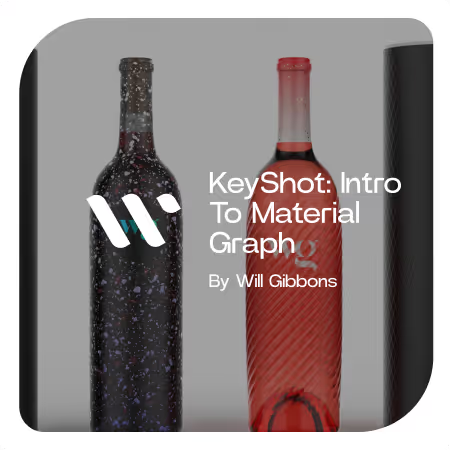
Intro to Material Graph

Finally, a thorough but beginner-friendly course on how to use KeyShot's Material Graph!

About the course

I Applied the 80/20 Principle to KeyShot's Material Graph...

The Material Graph Masterclass will get you creating custom materials in KeyShot in less than two hours.

You've heard it over and over... KeyShot's Material Graph is the best way to add detail to materials, create custom finishes, or make elaborate labels.

And that's true.

But to be honest, the Material Graph can be a bit overwhelming. And if you've never even heard of it or tried it out, it's a node-based workspace.

By connecting nodes, you can make a network of properties that lead to infinitely-customizable materials.

But again... it can be overwhelming. Below is a screenshot of pretty standard material graph from one of my projects.


Results.

Recently, I received an email from a designer. He said that he wasn't landing many interviews when submitting his design portfolio for review.

After watching a bunch of my rendering tutorials, he decided to revisit the renderings in his portfolio.

After bumping up the visuals in his portfolio, not only did he land interviews, he snagged a job at a top design firm. He emailed me to say that he felt his improved rendering skills helped him stand out.

Crazy, right?!

This is just one example that reinforces the importance of being able to create beautiful, accurate renderings.

As a designer, communication is critical.

You need to be able to effectively communicate designs and 3D rendering has become the easiest way to share an idea before committing to it.

And lots of people get hung up on KeyShot's Material Graph.

But they shouldn't!


Learning to use the Material Graph is far easier than you think

I've been using KeyShot for over a decade, and I've been teaching others how to use it for half that time.

If you have a solid teacher or mentor who's put in the time, you can learn the tool in far less time than if you tried to figure it out on your own.

After hearing from designers who had been overwhelmed, intimidated or too busy to try and learn how to use the Material Graph, I decided to make sort of 'quick-start guide'.

The Material Graph Masterclass will get you up and running because it focuses on a few basic items:

  • The logic behind how the Material Graph works
  • Breaking down the user interface for easy navigation
  • The most useful and often-used Material Graph nodes

The course covers a few key concepts in PDF presentation. This is a simple document you can refer back to anytime if you need a refresher.

Then, we jump into KeyShot for some hands-on examples.


What You'll Learn to Make

Below are 4 distinct materials you will learn to create following a step-by-step process.

The course concludes with me answering questions from students who attended the live version of this course. I work through more examples of how the Material Graph can be used to overcome other common challenges.


Course Format

13 minutes of theory lecture. We begin with a brief slideshow and I break down why you should use KeyShot's Material Graph, how it works and what to connect to what.

1 hour, 27 minutes of live demonstration. I cover 4 distinct material types, all with their own unique challenges and styles. Through repetition, you'll begin to notice patterns and see how the most common Material Graph nodes are used in conjunction with one another.

36 minutes of live questions and answers. I took questions from the attendees of the live class, and did my best to answer with visual demonstrations, extending the teaching with more practical examples.

Total Runtime: 2 hours, 16 minutes


Lecture

The theory lecture offers a primer before getting hands-on in KeyShot.


What you get

  • 1 KeyShot (KSP) Package File with the finished materials for you to reference and deconstruct to see what settings were used and what is connected to what.
  • 3 Videos (lecture, demo and Q&A) with total runtime of 2 hours, 16 minutes
  • PDF used during lecture
  • 1 3D CAD model to follow along with and practice on (step format)


Requirements

  • KeyShot 6 Pro or newer (to access material graph)
  • KeyShot 9 Pro or newer (to access everything shown in this course)


How much experience is required?

  • No previous experience with KeyShot's Material Graph required.
  • You should have a basic understanding of KeyShot user interface.

If you aren't familiar with the following terms, I recommend you follow the links to read up on them:


Testimonials

  • Will is a great teacher with an incredible amount of knowledge and tips to share. The course I have attended was very informative and engaging and allowed me to finally understand several concepts of the material graph that I have always struggled with. I would definitely recommend any courses from Will to anyone that is embarking on the rendering journey!!

  • Extremely useful and informative, best 2 hours of my quarantine period, is there a weekly or monthly course subscription option I can sign up for? :)

  • Will is super talented, his lectures are always easy to follow and straight to the point. This course has helped to be comfortable with the material graph, and to explore its potentials. I appreciated the content, pdf Information I can keep and refer to, also source files to practice. I plan to keep purchasing tutorials from Will, and supporting his cause. I appreciate he is always trying to help aspiring designers to be better at representing their designs by sharing all his knowledge.

  • For those who want to expand their knowledge on the material graph and gain some professional tips on how to add final touches to a rendering, this course is a must. Don't think about it, just sign up and enjoy upgrading your presentation renderings to the next level.

  • It was an extremely useful class especially people who are beginners to intermediate levels. I would recommend anyone starting to learn KeyShot not to waste a day, but learn the material graphs from Will. Believe me when I say it was good, because being here in Australia, it was 2 in the morning and the class went on 'till almost 5 and I stayed up. The concepts were explained progressively and the course covered pretty much the tools that would normally in course of time be used to create amazing materials. Overall 100% recommended⚡️

  • Will did excellent demos to explain the use of material graphs. He repeated steps along each demo and showed us different outcomes. I am very satisfied with what I learned and super pump about using KeyShot!


FAQs


Q: What if I don't like the class?
A: If you did not learn anything from it, email me within 48 hours and I'll refund you.

Q: Will I be able to follow along with a non-pro version KeyShot?
A: No, the Material Graph is a KeyShot pro feature.

Q: Will I be able to follow along with an older version of KeyShot?
A: Maybe, but since features and materials change with each release, I can't guarantee you'll have access to everything I show in the live demo.

Q: Will we cover lighting or anything other than material graph in this class?
A: Due to time restrictions, no. But if you want me to make a similar course on another topic, let me know.

Q: Will we get into UV unwrapping or UV mapping in this class?
A: Not at this time. UV unwrapping is beyond the scope of this class.

Q: Will we cover displacement in this class?
A: We will a little bit, but know displacement can require some deeper dives to really master.

What if you get stuck along the way?

Each video lesson has a comments section below it. If you get confused or stuck at any point, just drop a comment and I'll get back to you typically within a day. You might even find that your question has already been answered in the comments section!

Still not good enough?

Just email me with your questions and mention which course you're working through. I'm happy to help anyone who's bought one of my courses.

What if you don't like the course?

While I have done my best to create an amazing course and describe it accurately, I understand that I can't please everybody.

If you take the course and feel like I did not deliver on the value I promised, just email me asking for a refund. I will issue one. To be eligible for a refund, a request must be made less than 90 days from date of purchase.

The teacher

Will Gibbons

Certified KeyShot Expert
I’ve been perfecting and teaching my product visualization skills for the last 10 years, honing in on techniques and workflows to enable others to master the art of product visualization, much faster than I did. I wanted to create a platform that enabled me to teach others the skills and techniques I wish I'd known sooner. I share only the most effective methods to create stunning visuals and how to apply this knowledge in practice through my various courses, tutorials and resources.

Success stories

Jorge E. Paez

“What I enjoyed about the Rendering Masterclass is I felt like I advanced quickly without being bogged down by a million unnecessary details. I would recommend this course for anyone that's seeing render weekly and asking themselves 'How can I do that?'"

Stijn De Bondt

"My ability to build materials from scratch and create more captivating scenes has grown tremendously thanks to this course. The best outcome of taking this course was when a client of mine couldn’t tell the difference between one of my renderings and the photographs of the product."
$99.00 USD
Will Gibbons
7 lessons

Check out my other courses

Explore my other courses

See all

Have more questions? I have more answers.

Here are my most frequently asked questions

I'm not sure which course to choose.

If you're unsure about which course is right for you, start by assessing your current skill level.

Each course description provides guidance on the required experience level, and if you still have questions, feel free to reach out using the 'contact me' button below.

How are the courses delivered?

Courses are delivered online through an online learning platform that hosts all the video lessons. Once you purchase a course, you will receive a link via email.

Can I download the course materials?

The videos are not available for download at this time, but you can access them online anytime. Any downloadable resources, such as models or texture packs, will be provided within the course via download links.

Is there a certification available upon completion?

When you finish the course, you'll be eligible for a certificate of completion. This is issued by Will Gibbons, not KeyShot the company.

How long does each course take to complete?

The duration of each course varies, depending on its complexity. Course descriptions provide an estimated time commitment, but you are free to take them at your own pace.

What if I have issues accessing the course after purchase?

If you experience any issues accessing your course, please contact me via the provided email, and I'll assist you as quickly as possible.

Do I need prior knowledge of KeyShot to take these courses?

No, prior experience is not necessary for all courses. Each course description specifies the level of experience required, so you can choose the one that best matches your current skill level.

Who are these courses for?

These courses are designed for KeyShot users of all levels, from beginners to advanced professionals who want to improve their rendering and animation skills. Whether you're a product designer, 3D artist, or simply curious about KeyShot, you'll find value here.

How do I get support if I have questions during the course?

There is a comments section for each lesson, where you can ask questions. I regularly monitor the discussion and provide support. You can also reach out via email for more in-depth queries.

I bought the wrong course. Can I switch?

Yes, as long as you haven’t consumed the lessons, I can exchange your purchase for another course. Just reach out to me via email within 14 days of purchase.

What should I do if my KeyShot render is not looking as expected?

This is a common challenge when learning rendering. You can troubleshoot by checking lighting settings, materials, and camera angles. Many of these issues are covered in the courses, and I also encourage students to ask questions for specific guidance.

What computer do you recommend for KeyShot, rendering, 3D modeling, and animation?

I use a custom-built Puget Systems computer and have nothing but great things to say about Puget Systems. Here are the specs of my current computer:

Motherboard: ASUS Pro WS TRX50-SAGE WIFI
CPU: AMD Ryzen™ Threadripper™ 9970X
RAM: 4x Kingston DDR5-5600 ECC Reg. 2R 64GB (256GB)
GPU: PNY GeForce RTX™ 5090 32GB OC
Hard Drive: Samsung 860 EVO 1 TB SATA3 2.5 inch SSD Scratch Disk 1 & 2: Kingston KC3000 2TB Gen4 M.2 SSD
Archive Disk: Seagate Exos X24 12TB SATA3
Case: Fractal Design Define 7 XL
Power Supply: Super Flower LEADEX Titanium 1600W
CPU Cooling: Asetek 836S-M1A 360mm Threadripper CPU Cooler
Case Fans: Noctua Case Fans Upgrade Kit (PWM Ramping)

If you're interested in getting a quote from Puget Systems, click here.

What monitor do you use?

My main monitor is a Dell UltraSharp 40 inch Curved WUHD Monitor - U4021QW

Can I use KeyShot with other 3D software?

Absolutely. KeyShot has developed plugins for a wide variety of 3D software such as SolidWorks, Rhino, Fusion 360, Blender, and more. It’s designed to be compatible with many file types to enhance your workflow.

How can my courses be paid for?

For individuals: Purchases can be made via credit card on my website.

For corporations: Contact me via email to make bulk purchases (minimum of 3). An invoice will be issued and can be paid via ACH, credit card, or wire transfer.

Can purchases be made through CANDEX?

Yes.

Do you offer gift cards for the courses?

Not at this time, sorry.

Can I make a partial payment or use a payment plan?

No, full payment is required at the time of purchase. At this moment, there are no options for partial payments or payment plans.

Do you offer refunds?

- Refunds will not be offered for those who have a 'change of heart' or decide they don't want the course.

- If the wrong course was purchased by accident, I can make an exchange for a different product, as long as you have not consumed the lessons in the course you bought.

- If your refund request is granted, you will be refunded the total of the purchase minus the credit card processing fees.

Are there any discounts available for students?

Currently, there are no dedicated discounts for students. However, I occasionally run promotions or offer discounts to my email subscribers. Sign up for the newsletter to stay updated.

Do you offer free tutorials?

Yes, I have several free tutorials and resources available. Visit my Resources page for access to free content that will help you get started with KeyShot.

What other resources do you recommend for learning rendering and animation?

In addition to my courses, I recommend exploring KeyShot’s official resources, such as their YouTube channel and user forum. I also share tips, tricks, and updates regularly on my blog and social media.

Are you available for hire?

If the right opportunity comes along, I may say yes. However, I seldom have the time to dedicate to any freelance work. I do have a handful of trusted partners that I may be able to refer you to if I think they're a good fit for your project.

Feel free to complete this form here, and I will get back to you. Note, your budget must be a minimum of $7,000 before I will consider a project.

Do you offer corporate training or bulk licensing for courses?

Yes, I do offer bulk licensing for corporations (minimum of 3 licenses). Please contact me via email for more information and to discuss pricing and availability.

I bought the wrong course. Can I switch?

Yes, as long as you haven’t consumed the lessons, I can exchange your purchase for another course. Just reach out to me via email within 14 days of purchase.